9 Best Wi-Fi Baby Monitors (November 2026)
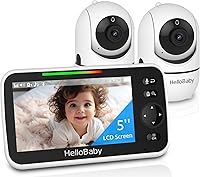
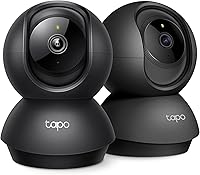
The best Wi-Fi baby monitors include the Tapo 1080P Indoor Security Camera for app-first monitoring, the Tapo 2K Pan Tilt Security Camera for wide room coverage, and the VTech Smart WiFi Baby Monitor for a screen and app.
On this page (7 sections)
The best wifi baby monitor for most families is the VTech Smart WiFi Baby Monitor, because it combines a 5-inch parent screen, a free app, 1080p video and remote pan, tilt and zoom. Choose Tapo for a camera-first setup, VTech's two-camera system for multiple rooms, or Momcozy for flexible Wi-Fi and non-Wi-Fi viewing.
A connected monitor can show the nursery on your phone, send alerts and let more than one caregiver check in. Some models also include a parent unit, so you don't need to keep a phone beside the bed for every overnight look.
If you need a wider overview of camera types, read our Baby Monitors: The Complete Buying Guide. For a VTech-focused comparison, see the best vtech wifi baby monitor guide.
Our picks at a glance
-
1

-
2

-
3

- 4
 Check it
VTech RM7764-2HD Smart WiFi Baby Monitor
Best for two rooms - 5
 Check it
Momcozy Smart WiFi Baby Monitor with Camera
Best for flexible connection modes - 6
 Check it
jeeber 1080P WiFi Baby Monitor With Camera
Best for app and screen control - 7
 Check it
Dr.Care VistaView 5" 1080P Smart WiFi Baby
Best for battery flexibility - 8
 Check it
Blemil 5.5-inch Smart WiFi Baby Monitor
Best for long monitor runtime - 9
 Check it
ARENTI Baby Monitor with Camera and Audio
Best for travel without Wi-Fi
The best wifi baby monitor picks for remote viewing
The best Wi-Fi baby monitor depends on how you plan to watch. Camera-first models keep the setup app-based, while hybrid systems add a parent screen for quick checks at home.
Our score weighs specs, features and buyer feedback against what you're shopping for. We compared video quality, viewing choices, camera movement, alerts, local monitoring, caregiver access and storage options.
| Product | Best for | Video | Viewing | Storage | Our score |
|---|---|---|---|---|---|
| Tapo 1080P Indoor Security Camera | app-first monitoring | 1080p FHD, 15 frames per second | Smartphone or tablet app | MicroSD up to 512GB or cloud storage | 9.7 |
| Tapo 2K Pan Tilt Security Camera | wide room coverage | 2K, 1440p | Smartphone or tablet app | MicroSD up to 512GB or cloud storage | 9.6 |
| VTech Smart WiFi Baby Monitor | a screen and app | 9.5 | |||
| VTech RM7764-2HD Smart WiFi Baby Monitor | two rooms | 9.2 | |||
| Momcozy Smart WiFi Baby Monitor with Camera | flexible connection modes | BM04 parent unit and Momcozy app | 9.0 | ||
| jeeber 1080P WiFi Baby Monitor With Camera | app and screen control | 4-inch monitor and iOS or Android app | 8.8 | ||
| Dr.Care VistaView 5" 1080P Smart WiFi Baby | battery flexibility | Parent unit and app | Up to 128GB SD card or optional cloud storage | 8.6 | |
| Blemil 5.5-inch Smart WiFi Baby Monitor | long monitor runtime | 5.5-inch parent unit and smartphone app | 8.1 | ||
| ARENTI Baby Monitor with Camera and Audio | travel without Wi-Fi | Phone app and monitor | MicroSD up to 256GB and app event recordings | 8.0 |
Tapo 1080P Indoor Security Camera: Best for app-first monitoring
- 1080p video
- Baby crying detection
- 2-way audio and siren
- Night vision up to 30 ft
This wired indoor camera suits families that want phone-based monitoring, motion and baby crying alerts, and smart display support.
Pros
- 1080p video
- Baby crying detection
- Alexa and Google Assistant support
Cons
- No dedicated parent screen
- Wired camera
The Tapo 1080P Indoor Security Camera is the highest-scoring camera-first pick for families that mainly use a phone or tablet. Its 1080p video, 110° field of view and night vision up to 30 ft cover the core needs of a connected nursery camera.
Baby crying detection can send an instant push notification, while motion and person detection help separate activity that needs attention from ordinary room movement. Two-way audio lets you speak through the camera, and the built-in siren adds a separate security function.
This is a wired indoor camera, so plan its placement near power before mounting. The included camera, DC power adapter, quick start guide, mounting screws and template support a screw-in setup.
The Tapo C100 works with Alexa and Google Assistant for viewing on a compatible screen. It supports microSD recording up to 512GB or cloud storage, and it also supports RTSP and ONVIF for compatible NVR systems.
Choose it if you want a simple app-first baby monitor with crying alerts. If you need a parent unit, consider the best baby monitor with a screen and an app instead.
Tapo 2K Pan Tilt Security Camera: Best for wide room coverage
- 2K video
- 360° horizontal and 114° vertical pan and tilt
- Baby crying detection
- Two-phone device sharing
The C210 is a strong fit when a camera needs to cover more of the room and two caregivers need access from separate phones.
Pros
- 2K video
- Wide pan and tilt range
- No-subscription microSD option
Cons
- Requires 2.4GHz Wi-Fi
- No dedicated parent screen
The Tapo 2K Pan Tilt Security Camera is the best choice here for covering a broad nursery view from one camera. Its 2K video gives you 1440p resolution, while the camera moves through a 360° horizontal and 114° vertical range.
That movement helps when a fixed view leaves parts of the room outside the frame. Baby crying, person and motion detection can send push notifications, and the app supports viewing from two different smartphone devices.
The C210 includes a Wi-Fi camera, power adapter, user guide, mounting screws, mounting plate and camera base. It requires 2.4GHz Wi-Fi, so check your home network before setting it up.
Night vision reaches up to 30 ft. Two-way audio supports remote conversation, and the built-in siren can serve a home security role.
Recordings can go to a microSD card up to 512GB or Tapo cloud storage.
Pick this Tapo when room coverage and 2K detail matter more than having a dedicated nursery screen. For a longer-range connection focus, read Best Long-Range Wi-Fi Baby Monitors.
VTech Smart WiFi Baby Monitor: Best for a screen and app
- 5-inch parent unit
- 1080p camera
- Free MyVTech Baby app
- Pan, tilt and zoom
This VTech gives you a dedicated screen for home use and app access when you are away, with shared caregiver access and automatic night vision.
Pros
- Dedicated 5-inch screen
- Free app
- Pan, tilt and zoom
Cons
- Camera uses a direct 2.4G FHSS connection locally
- Single camera
The VTech Smart WiFi Baby Monitor is the strongest all-around option for families that want a screen at home and an app away from home. The 5-inch parent unit gives you a direct local view, while the free MyVTech Baby app supports remote viewing from a phone.
The camera provides 1080p video during the day and automatic infrared night vision in a dark room. Pan, tilt and zoom controls work from the parent unit or app, making it easier to adjust the view without entering the nursery.
Audio and motion alerts can reach the phone and parent unit. The system also reports when the nursery gets too warm or too cool, and two-way talk lets you speak through the camera.
The included set has 1 baby unit, 2 AC adapters, a parent unit, wall-mount brackets, wall anchors, screws and a quick start guide. If the parent unit needs replacing, check VTech replacement screen compatibility.
The local connection uses 2.4G FHSS, with a stated range up to 1,000 ft throughout the home.
Choose it when you want fewer phone checks at night but still need remote access. For another phone-viewing option, compare it with Which Eufy Baby Monitors Support Wi-Fi and Phone Viewing?.
VTech RM7764-2HD Smart WiFi Baby Monitor: Best for two rooms
- Two cameras
- 7-inch parent unit
- 1080p remote video
- 360° pan and tilt with 10x zoom
Two cameras and split-screen viewing make this a practical choice for twins, a nursery and playroom, or any home that needs two viewpoints.
Pros
- Two cameras included
- 7-inch parent unit
- No-fee remote viewing
Cons
- Larger system to place
- Local parent-unit video is 720p
The VTech RM7764-2HD Smart WiFi Baby Monitor with 2 Cameras is the best fit for two rooms or two children. Its 2-camera setup supports split-screen viewing, while each camera provides 360° pan, tilt and up to 10x zoom.
The included 7-inch parent viewer shows local video, and the MyVTech Baby Pro app supports remote viewing on iOS and Android devices. Remote video reaches 1080p, while the parent unit is a 720p display.
Automatic infrared night vision helps with dark-room checks. Motion detection can alert you, and the app can save up to 30 triggered video clips.
Two-way talk and soothing sounds add ways to respond without walking straight into the room.
The set includes 2 PTZ cameras and a parent viewer. The cameras use a 2.4G FHSS connection for local monitoring, while remote app viewing uses the home's internet connection.
Pick this system when one camera cannot cover your monitoring needs. For recording-focused choices, see Best Baby Monitors That Record Video.
Momcozy Smart WiFi Baby Monitor with Camera: Best for flexible connection modes
- 5-inch parent unit
- 1080p video
- Wi-Fi or non-Wi-Fi viewing
- Up to 20 family members
Momcozy fits families that want a parent unit at home and app viewing away from home, with shared access and recording options.
Pros
- Wi-Fi and non-Wi-Fi modes
- 5-inch parent unit
- Family sharing for up to 20 people
Cons
- App alerts are needed for motion notifications
- Requires 2.4GHz Wi-Fi for pairing
The Momcozy Smart WiFi Baby Monitor with Camera and Audio stands out for families that want Wi-Fi and non-Wi-Fi connection choices. The BM04 parent unit supports home monitoring, while the Momcozy app lets you check the live feed when you are away.
Its 5-inch 1080p system supports motion alerts in the app and a danger-zone alert for a selected safe area. The camera can record continuously or when motion occurs, and you can also take photos or record video manually through the app.
Family sharing is a major reason to choose this monitor. The system supports video access for up to 20 family members, which can help grandparents or other caregivers stay connected.
Wi-Fi pairing supports 2.4GHz networks only. For setup, position the camera at least 24 in above the crib and within 16 ft horizontally of the crib so the infrared night vision can light the baby's face clearly.
Choose Momcozy if shared access and flexible viewing modes matter most. If you specifically want a phone option without depending on Wi-Fi, read Can a Baby Monitor Connect to a Phone Without Wi-Fi?.
jeeber 1080P WiFi Baby Monitor With Camera: Best for app and screen control
- 4-inch screen
- 1080p display support
- 340° pan and tilt
- Up to 14 hours of screen use
This jeeber system suits buyers who want a compact screen plus app access, with pan and tilt, night vision and a stated 14-hour screen runtime.
Pros
- Screen and app control
- No-glow night vision
- Temperature alerts
Cons
- No stand included
- Camera video is 720p while supporting up to 1080p display
The jeeber 1080P WiFi Baby Monitor With Camera And Audio fits buyers who want both a 4-inch screen and app control. You can view the camera from the included display or a smartphone app, with support for using both at the same time.
The camera has 340° pan and tilt, a 68° wide view and auto-IR night vision. The system supports up to 1080p display, while its stated video view is 720p.
Cry detection can send alerts to the phone, and two-way talk lets you respond remotely.
The screen offers up to 14 hours of continuous use, while the base unit requires power. Temperature monitoring, preset lullabies and feeding reminders add nursery-focused controls.
This model supports 2.4GHz Wi-Fi and also includes a no-Wi-Fi FHSS connection. The package includes 1 camera, 1 baby monitor, 2 power adapters and a user manual.
No stand is included, so plan a freestanding or other suitable placement before setup. For more placement options, compare baby monitor stands.
Pick jeeber when a smaller parent screen and app access are more useful than a larger display. Confirm the camera position and power path before installing it.
Dr.Care VistaView 5" 1080P Smart WiFi Baby: Best for battery flexibility
- 5-inch parent unit
- 5000mAh removable battery
- 300° rotation and 65° tilt
- Motion, temperature and humidity alerts
Dr.Care is suited to families that value a removable battery, app control, a clip mount and local monitoring that can work with Wi-Fi off.
Pros
- Removable battery
- Clip mount included
- Motion detection can work without Wi-Fi
Cons
- Single-band 2.4GHz connectivity
- SD card not included
The Dr.Care VistaView 5" 1080P Smart WiFi Baby Monitor with Camera and Clip Mount is the best battery-focused choice in this group. Its 5000mAh removable battery supports up to 11 hours of continuous streaming or up to 15 hours in VOX mode.
The camera provides 300° rotation, 65° tilt and 2x or 4x zoom. A clip mount is included, and the system also supports freestanding, screw-in and wall-mount installation types.
Motion, temperature, humidity and sound indicators help you notice changes in the nursery. Two-way talk, lullabies, white noise and feeding reminders give you several ways to respond through the system.
Dr.Care supports up to 128GB of local SD card storage, with optional cloud storage. Its 256-bit AES encryption, exclusive device pairing and Wi-Fi OFF option address families that want more control over connected access.
Motion detection can work directly on the monitor without Wi-Fi. Choose this model if a replaceable battery and local monitoring are high priorities, but confirm your preferred storage setup because the SD card is not included.
Blemil 5.5-inch Smart WiFi Baby Monitor: Best for long monitor runtime
- 5.5-inch parent unit
- 5000mAh battery
- Up to 22-hour ECO runtime
- Auto motion tracking
Blemil makes sense when long parent-unit runtime and auto tracking matter, with sound, cry and motion alerts for remote checks.
Pros
- Up to 22-hour ECO runtime
- Auto motion tracking
- MicroSD and encrypted cloud storage
Cons
- Camera is corded electric
- Compatible devices are listed as no
The Blemil 5.5-inch Smart WiFi Baby Monitor with Camera and Audio is a good choice for long parent-unit runtime. Its 5000mAh battery supports up to 22 hours in ECO mode, and the system states up to 1,000 ft of open-area transmission range.
The camera uses 285° pan, 60° tilt and auto motion tracking to follow movement. Sound, baby cry and motion detection can send push alerts, while two-way audio and night vision support quiet checks.
Use the 5.5-inch IPS parent unit for in-home viewing or connect the camera to a smartphone app when you are away. Multiple family members can view footage at the same time, and the system supports MicroSD storage and encrypted cloud storage.
The camera is corded electric, while the monitor is battery powered. The included items are a charging cable, instruction manual, mounting screw and TX RX components.
Choose Blemil when long ECO runtime and tracking matter more than a confirmed broad device-compatibility list. Read the Eufy E21 Baby Monitor Review for another connected-monitor comparison.
ARENTI Baby Monitor with Camera and Audio: Best for travel without Wi-Fi
- 1080p camera
- 355° pan and 100° tilt
- 4x zoom
- 2.4GHz FHSS local monitoring
ARENTI is a good match for travel because its local monitor can work without Wi-Fi, while the app adds phone viewing and event recordings.
Pros
- Non-Wi-Fi local mode
- 1080p video
- Pan, tilt and 4x zoom
Cons
- Phone app uses Wi-Fi for remote access
- Single-band connection
The ARENTI Baby Monitor with Camera and Audio B2 Set is the best travel-oriented pick because its local monitor can work without Wi-Fi. The system uses a 2.4GHz FHSS connection for nearby monitoring, while its phone app adds remote access through Wi-Fi.
The camera provides 1080p video, 355° pan, tilt, a 100° wide view and 4x zoom. Infrared night vision, sound detection and movement alerts help with both daytime and overnight checks.
Two-way audio lets you talk through the screen. The monitor includes controls for notification sound and screen brightness, which can be useful when you are checking the nursery at night.
The system supports MicroSD storage up to 256GB. The app also includes free 6-second event recordings in a 7-day loop, and the camera can connect with other Arenti Baby Series cameras.
Choose ARENTI when you want local monitoring during travel and app access at home. For a phone-viewing shortlist, see Best Baby Monitors You Can View on Your Phone.
How do you choose a Wi-Fi baby monitor?
Start with the viewing method you will use most. A camera-first monitor such as either Tapo keeps the experience centered on a phone app, while VTech, Momcozy, jeeber, Dr.Care, Blemil and ARENTI add a parent-unit option.
A larger parent unit usually suits a bedside table or kitchen counter where a quick glance matters. A smaller screen may suit a hand that needs to move from room to room without a bulky unit.
Choose a dedicated screen if you want quick checks at home without opening a phone. The VTech VM901 has a 5-inch screen, the VTech two-camera system has a 7-inch viewer, Momcozy has a 5-inch unit, jeeber has a 4-inch screen and Blemil has a 5.5-inch unit.
Screen size alone does not settle the choice. Consider where the unit will sit, how clear the image needs to be at night, and whether the controls feel simple when you are tired.
Think about night use next. A bright display can be distracting in a dark room, while a screen you can dim or turn away from may work better after the first few weeks.
Also consider who else will look in. If a partner, grandparent or babysitter shares care, an app can spread access beyond one handset while a parent unit stays in one place.
Match the viewing method to your routine before you look at extra features. The right choice is the one you will actually use during a normal night, not the one that looks best in a product list.
Should you buy a camera-first or hybrid monitor?
A camera-first model is simpler when every caregiver already uses a phone. Tapo C100 and Tapo C210 offer app viewing, alerts, two-way audio and cloud or microSD storage without adding a separate parent display.
This type suits a household that keeps phones charged and nearby. It can also feel lighter to set up because there is one main screen to manage and keep powered.
The trade-off is that every check depends on a phone. If your hands are full or your phone is in another room, you may need to stop and open the app first.
Setup also needs a little more thought. Place the camera where the view is clear, keep its power cable away from the crib, and check that the Wi-Fi signal reaches the nursery well.
A hybrid monitor gives you more ways to check in. VTech's VM901 is the clearest fit for one room, while the RM7764-2HD is better for two rooms or two children because it includes two cameras.
A hybrid can suit families who like a fixed screen at home and a phone when they step out. The parent unit can stay by the bed, while the app covers errands or time in another part of the house.
The trade-off is size and placement. A parent unit and camera need two good spots, and both need power or charging during the day.
Choose camera-first for a lean app routine or hybrid for more viewing choices. Your daily habits matter more than the number of screens in the box.
Do Wi-Fi baby monitors need 2.4GHz Wi-Fi?
Many of these monitors need 2.4GHz Wi-Fi for pairing. Tapo C210, Momcozy, jeeber and Blemil specify 2.4GHz networks, while Dr.Care uses 2.4GHz Wi-Fi and 2.4GHz FHSS connectivity.
A 2.4GHz network often reaches farther through walls than a faster band. That can help when the nursery is not close to the router, though walls, distance and other devices still affect the signal.
Check your router before setup, then place the camera where the nursery view is clear and the power cable can stay out of reach. Follow the camera's mounting instructions and keep cords away from the crib.
Test the view from the spots where you will actually watch. Stand at the parent unit or open the app on your phone and check the crib, the door and any blind spots.
Do not mount the camera too low or too close to the baby. A higher, stable position usually gives a steadier view and keeps the unit away from curious hands.
Also plan for the power lead during everyday care. Route it along a wall or behind fixed furniture and check it again as your baby starts to move more.
If pairing fails, confirm the network name, password and band before you move the camera. A small change in position can improve the connection more than a full reset.
How do alerts and storage differ?
Alerts vary from baby crying and motion detection to temperature, humidity, sound and danger-zone notifications. Momcozy's motion alerts appear in the app, while Dr.Care says motion detection can work on the monitor without Wi-Fi.
Cry alerts suit a parent who wants to know when a baby wakes. Motion alerts suit a room where movement matters more, such as a play area or a space a baby may leave.
Temperature and humidity alerts add context rather than a picture. They can prompt a check when a room feels too warm, too cool or too damp for comfortable sleep.
Sound alerts need care in a busy home. Set the sensitivity so normal household noise does not create constant notifications, then adjust it after a few nights of use.
Danger-zone alerts suit a defined area, such as a crib or play space. Set the zone to match the real boundary and test it so the alert matches the area you care about.
Storage also varies. Tapo supports microSD cards up to 512GB or cloud storage, Dr.Care supports up to 128GB, ARENTI supports up to 256GB, and VTech's two-camera system can save up to 30 triggered video clips in the app.
Local storage keeps recordings on a card in the home. Cloud storage moves them to a service, which can suit a parent who wants access away from the house.
Choose the alert style for the question you ask most at night. Then choose storage based on whether you need quick clips, longer records or access from another place.
More guides on this topic
- Best Hubble Baby Monitors
What is the best wifi baby monitor for your home?
Pick the Tapo 1080P Indoor Security Camera for an app-first setup with baby crying detection, 1080p video and smart display support. Choose the Tapo 2K model if pan and tilt coverage matter more.
The Tapo C100 suits a phone-led routine in one room. Its fixed view keeps the setup simple, while cry and motion alerts help you decide whether a check is needed.
The Tapo C210 suits a larger nursery or a room with more than one corner to watch. Its pan and tilt movement can follow the space, and two phones can share the view.
Choose the VTech Smart WiFi Baby Monitor if you want the strongest mix of a parent unit and phone app. Pick the VTech RM7764-2HD for two rooms, Momcozy for Wi-Fi and non-Wi-Fi flexibility, or ARENTI for travel without Wi-Fi.
The VTech VM901 suits one nursery where a bedside screen and remote phone checks both matter. The two-camera system suits twins, siblings or a nursery and playroom split.
Momcozy suits a home that wants a parent unit at home and app viewing away from home. ARENTI suits travel or a home where local monitoring without Wi-Fi is a priority.
Set the camera in a stable spot, keep cords away from the crib and test night vision before the first night. A short evening check can save a frustrating setup later.
For families comparing phone access with local monitoring, the best baby monitor to phone guide is the next useful step.
Our top 3 picks at a glance
-
1
-
2
-
3
Frequently asked questions
What is the best wifi baby monitor?
The VTech Smart WiFi Baby Monitor is the best wifi baby monitor for families that want both a dedicated 5-inch screen and phone viewing. It adds 1080p video, pan, tilt and zoom, automatic night vision, audio and motion alerts, temperature alerts, and shared app access for other caregivers.
Can a Wi-Fi baby monitor work without Wi-Fi?
Some can, but the answer depends on the model. Momcozy supports Wi-Fi or non-Wi-Fi viewing through its parent unit, while Dr.Care includes a Wi-Fi OFF option.
ARENTI also has a non-Wi-Fi 2.4GHz FHSS local mode, but remote phone viewing needs app connectivity.
Do Wi-Fi baby monitors need 2.4GHz Wi-Fi?
Many models in this guide use 2.4GHz Wi-Fi. Tapo C210 requires 2.4GHz Wi-Fi, and Momcozy, jeeber and Blemil also specify 2.4GHz pairing.
Check your router before buying because a 5GHz-only network may not connect to these cameras.
Is a baby monitor with a screen and an app better?
A baby monitor with a screen and an app gives you two viewing choices. The parent unit is useful at home without opening your phone, while the app helps when you are away.
The trade-off is a larger system and more setup than a camera that uses only a phone app.